

Network Address Translation
NAT changes addresses; firewall rules decide whether the traffic is allowed. Design and test both together. For the NAT types and how they interact with rule evaluation, see firewall and NAT.
All NAT settings are under Firewall → NAT, on the tabs Port Forward, 1:1, Outbound, and NPt.
Publish a service with a port forward
Section titled “Publish a service with a port forward”- Confirm that the service listens on its internal address, for example
192.168.1.20:443, and that it works from the LAN. - Open Firewall → NAT → Port Forward and select Add.
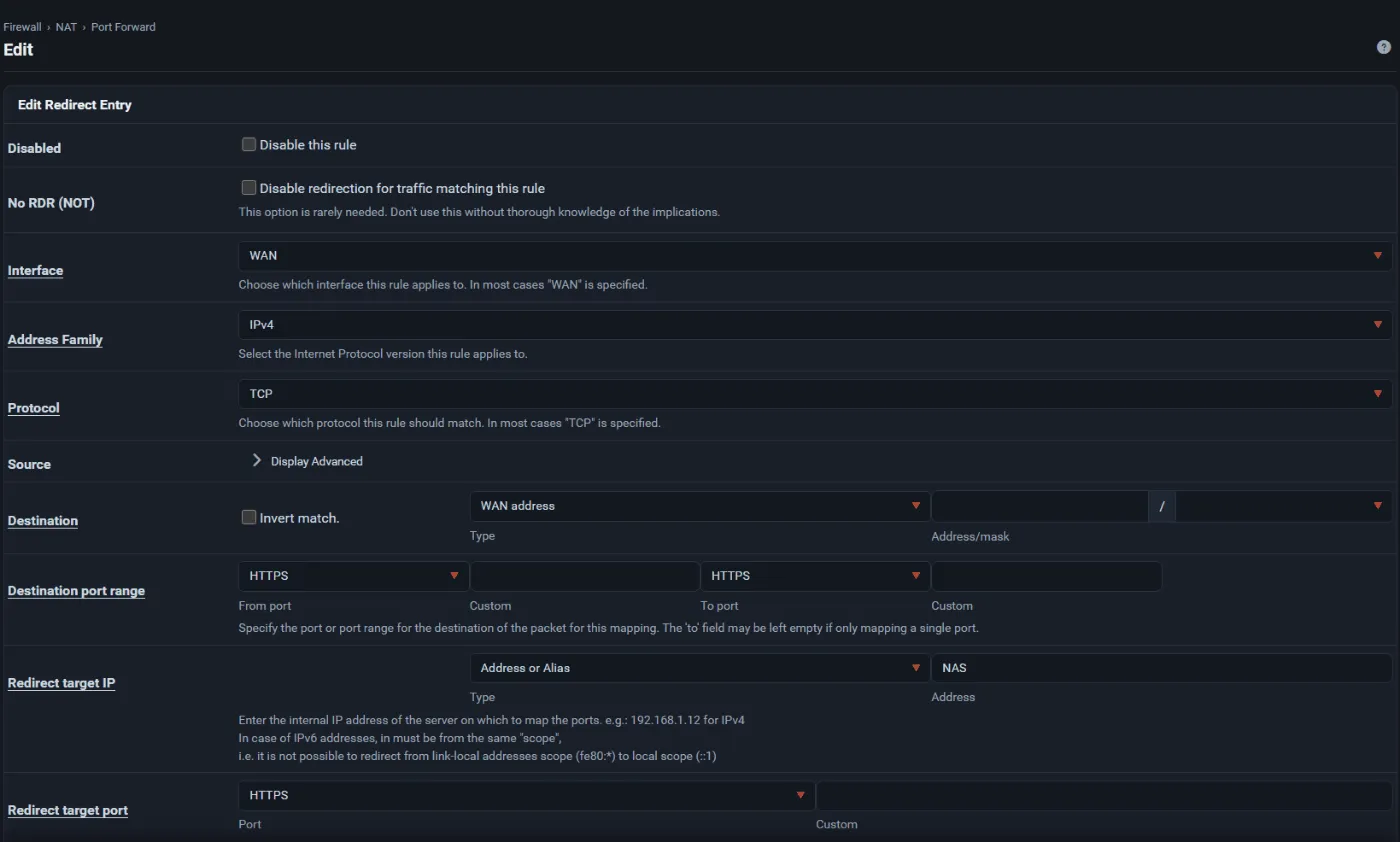
- Set Interface to the WAN, Address Family, and Protocol (for example TCP).
- Leave Source as narrow as you can. If only known networks should connect, select them here or with an alias.
- Set Destination to the WAN address and Destination port range to the public port.
- Set Redirect target IP to the internal host and Redirect target port to the service port.
- Enter a Description.
- Under Filter rule association, keep Add associated filter rule so the WAN rule follows the NAT entry, or choose Add unassociated filter rule for an independent rule you manage yourself.
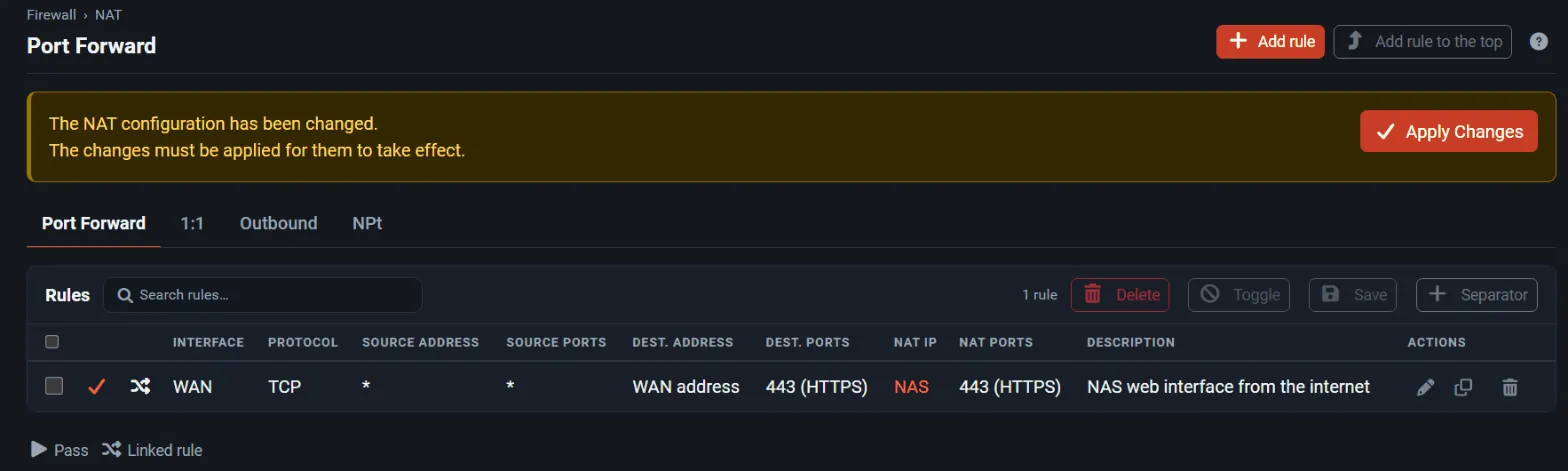
- Select Save, then Apply Changes.
- Test from an external network, not from inside the LAN; testing from inside needs NAT reflection.
- Check Status → System Logs → Firewall and remove any temporary broad rule you used while testing.
The rule on the WAN tab sees the translated (internal) destination, so an associated rule shows the internal address and port.
Choose an outbound NAT mode
Section titled “Choose an outbound NAT mode”Open Firewall → NAT → Outbound and pick a Mode:
| Mode | When to use it |
|---|---|
| Automatic outbound NAT rule generation | Default. Every local network is translated to the address of each WAN. |
| Hybrid Outbound NAT rule generation | Automatic rules plus your own rules above them, for example a fixed source address for one server. |
| Manual Outbound NAT rule generation | You write every rule. Use it for complex multi-WAN or VPN source-address designs. |
| Disable Outbound NAT rule generation | Routed public networks that must not be translated. |
After switching to manual mode, check that VPN, VLAN, and newly added networks are covered.
Map an address one-to-one
Section titled “Map an address one-to-one”- Add the extra public address under Firewall → Virtual IPs (usually an IP Alias or Proxy ARP address) unless the upstream routes it to you.
- Open Firewall → NAT → 1:1, select Add, choose the Interface and Address Family, enter the external address and the internal address, and save.
- Add firewall rules on the WAN tab for the services that should be reachable. 1:1 NAT translates all ports but allows nothing by itself.
Reverse proxies and NAT
Section titled “Reverse proxies and NAT”If a reverse proxy such as HAProxy terminates the traffic on the firewall, you do not need a port forward for that port: the proxy listens on the WAN address and a WAN rule passes the traffic to it. Document which component owns TLS, health checks, and the public listener, and avoid a port forward and a proxy listener on the same port. See HAProxy.