

Firewall rules and aliases
This page is the procedure for writing policy. For how rules are evaluated, the alias types, and how NAT interacts with rules, see firewall and NAT.
Start every rule with one question: which source may reach which destination, using which protocol and port? Write that answer as one narrow rule.
Before you change policy
Section titled “Before you change policy”- Save a configuration backup (Diagnostics → Backup & Restore), or confirm that a recent Configuration History entry exists.
- Make sure you have console access, or a management path that the change cannot block.
- Note the interface where the traffic enters the firewall; the rule goes on that tab.
Create an alias
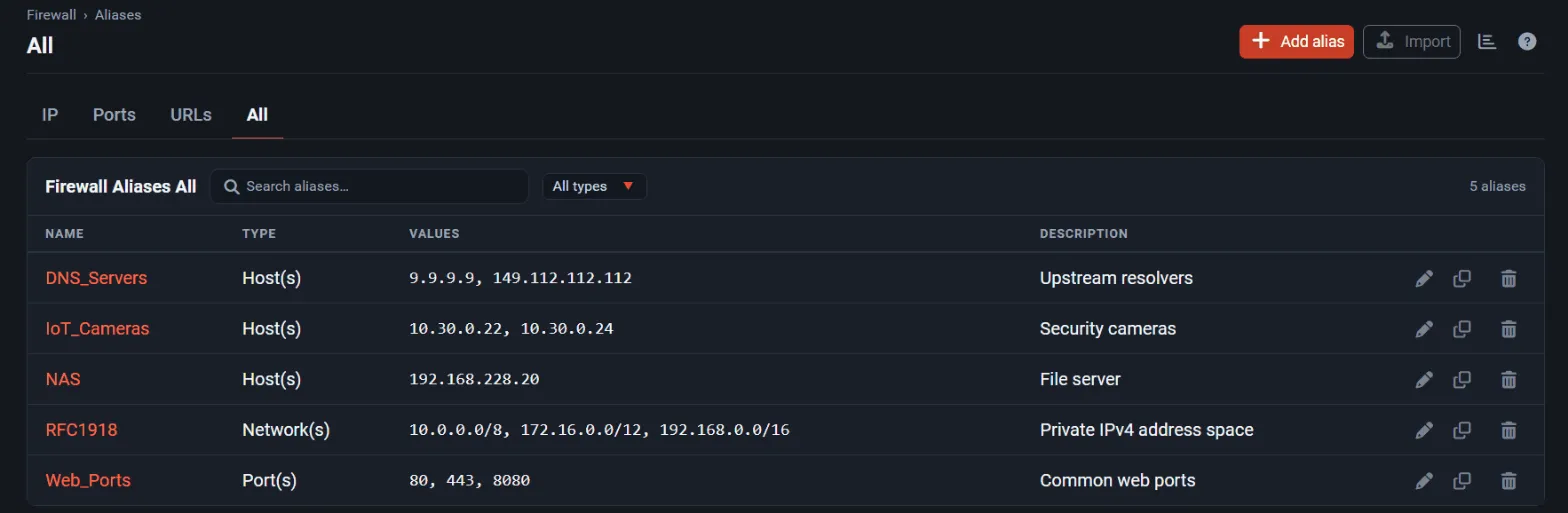
Section titled “Create an alias”- Open Firewall → Aliases and select the tab for the kind of alias: IP, Ports, or URLs.
- Select Add, enter a Name and a Description.
- Choose the Type, for example Host(s), Network(s), Port(s), or URL Table (IPs).
- Add the entries, each with an optional description, and select Save, then Apply Changes.
For long aliases: once an alias has more than 20 entries, the edit page shows a filter field above the entries with an “n of m shown” count. Filtering only hides rows; Save still keeps every entry, and new or empty rows stay visible while a filter is active.
URL and URL Table aliases download their list from a web server. In 1.1 the list can also be a
.tgz or .tar.gz archive. Check the refresh interval for URL Table aliases and confirm the source
is one you trust, because its content becomes firewall policy.
Create a rule
Section titled “Create a rule”- Open Firewall → Rules and select the tab of the ingress interface.
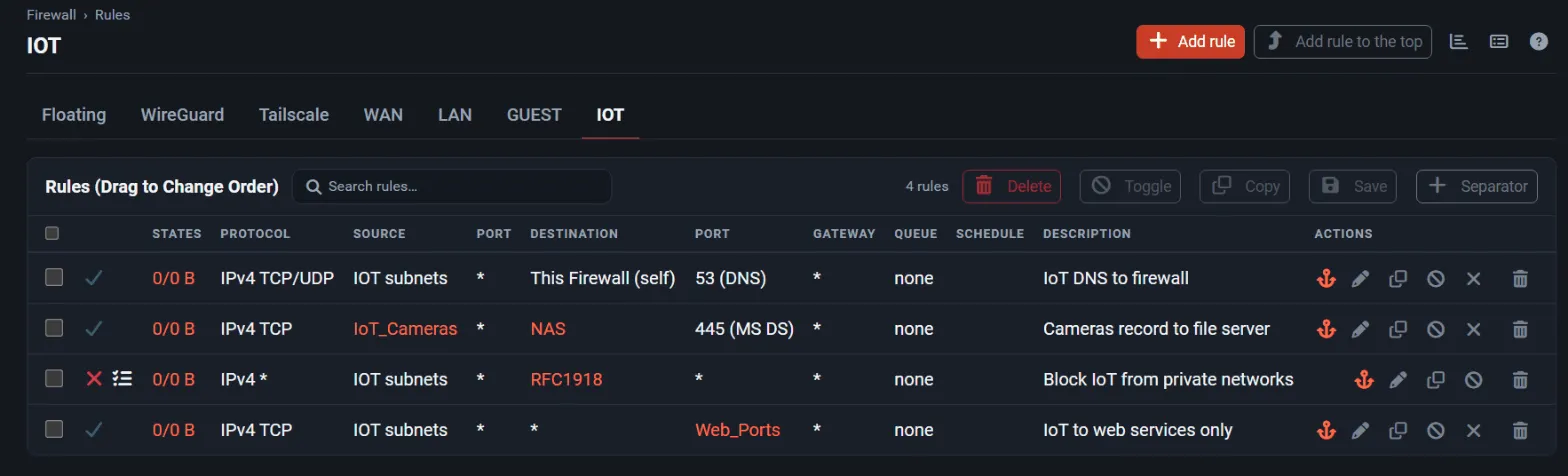
- Select Add (top of the list) or Add (bottom). Rules are evaluated top to bottom and the first match wins, so a specific exception must sit above a broader rule.
- Set Action (Pass, Block, or Reject), Protocol, Source, and Destination. Use aliases instead of typing addresses and ports.
- Enter a Description that names the owner and intent, for example “Office PCs to file server SMB”.
- Enable Log packets that are handled by this rule while you validate it.
- Select Save, drag the rule into position if needed, and select Apply Changes.
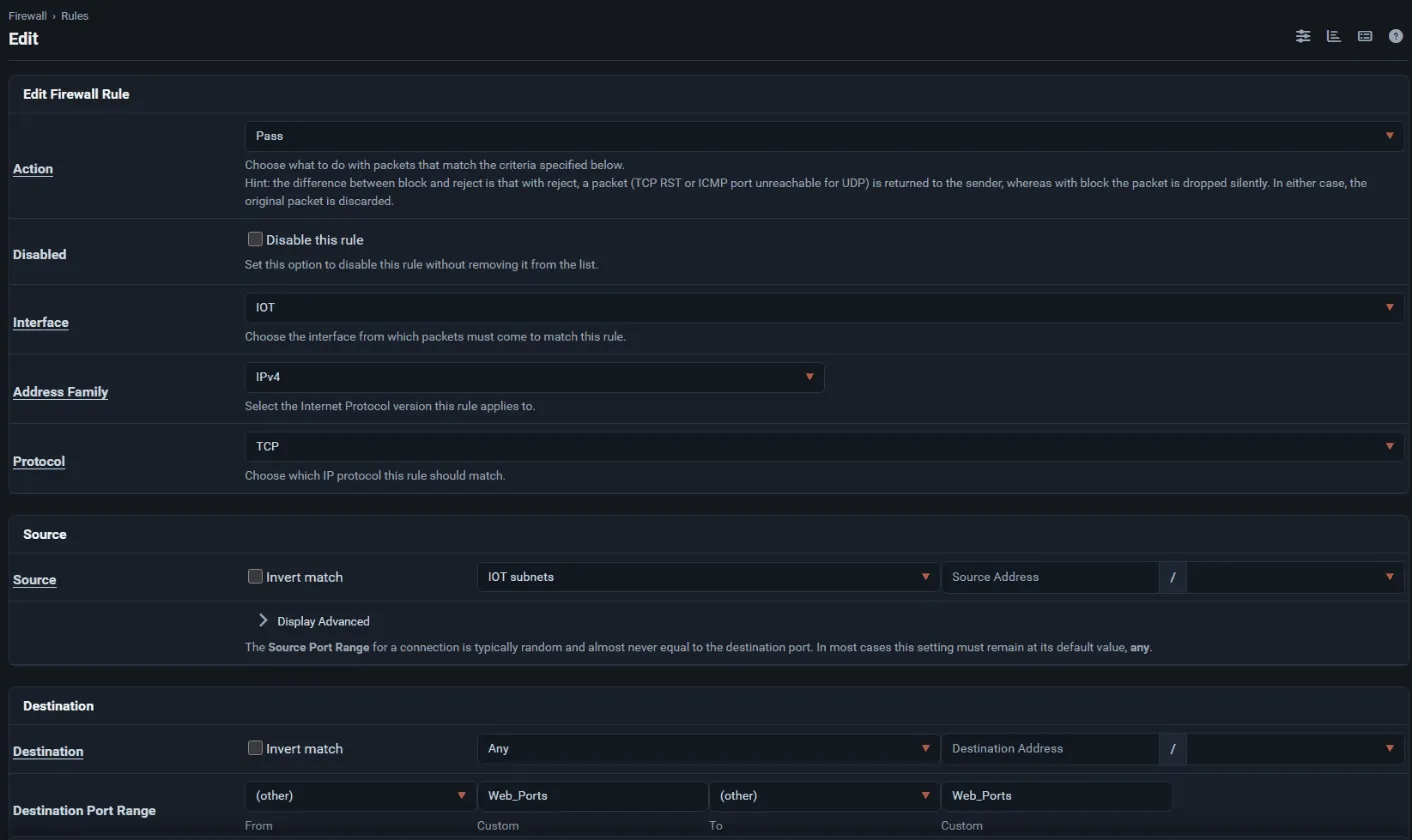
Protocol now also offers IPIP for IP-in-IP encapsulated traffic.
Rule-writing checklist
Section titled “Rule-writing checklist”- Put specific pass or block rules before broad ones.
- Scope rules to the interface where traffic enters, not where it leaves.
- Prefer aliases over repeated addresses, and one alias per purpose.
- Keep the anti-lockout path (or an explicit management rule) above anything that could block it.
- Turn logging off again once a rule is validated, unless someone reviews that log.
- Do not edit integration-owned tables, such as the CrowdSec decision table, as if they were aliases; manage them in the integration. See CrowdSec.
Validate the change
Section titled “Validate the change”- Test the intended flow from a real client.
- Test a flow that should still be blocked.
- Check Status → System Logs → Firewall for the matching log entries, and Diagnostics → States for the resulting state.
- If the new ruleset fails to load, the WebUI raises a notice; the rejected ruleset is kept as
/tmp/rules.debug.failedso you can inspect it from Diagnostics → Command Prompt.
Roll back
Section titled “Roll back”Restore the previous configuration from Diagnostics → Backup & Restore → Configuration History if a change locks out access or breaks traffic. From the console, option 15 of the console menu (Restore recent configuration) does the same.